Lightweight network scanning solution for sharing documents remotely with streamlined setup and broad application integration
Lightweight network scanning solution for sharing documents remotely with streamlined setup and broad application integration
Vote (5 votes)
Program license Trial version
Developer masters-itc-software
Version 4.4
Works under Windows
Vote
(5 votes)
Developer
masters-itc-software
Works under
Windows
Program license
Trial version
Version
4.4
Pros
- Centralized, remote access to scanners reduces hardware costs
- Efficient compression for quick data transfer with low bandwidth usage
- Intuitive interface suitable for all experience levels
- Supports a wide range of document formats and scanner models
- Integrates easily with third-party imaging and document programs
Cons
- Full feature set only available in professional (paid) version
- Initial setup of scanner sharing may require admin permissions
- Limited to Windows platforms
Remote scanning software for quick document sharing over a network.
Overview
BlindScanner is a dedicated application designed to facilitate remote scanning on Windows networks. This software allows users to share a single scanner among several computers, transforming the way organizations handle document digitization in distributed work environments. Its streamlined connectivity, integration features, and efficient compression technology make it a strong asset for office settings that require flexible access to scanning devices.
Main Features
BlindScanner operates as a centralized scanning solution, enabling computers within a local or virtual network to scan documents without physical access to the scanner. The software utilizes a server-client architecture: the server runs on the computer connected to a scanner, while clients installed on other PCs can access the scanner remotely. This approach helps maximize hardware use and reduce redundant equipment costs.
Users can scan documents and images in color, grayscale, or black and white, with support for a range of formats including JPEG, PNG, PDF, TIFF, and BMP. Efficient stream compression is integrated into the transfer process, minimizing network load and accelerating delivery of scanned data—even for high-resolution documents or images.
User Interface and Usability
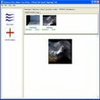
BlindScanner offers an intuitive interface that makes it accessible to both tech-savvy users and those with minimal experience. Adding client computers and setting up the scanner connection is quick—requiring just a few steps with clear guidance. Real-time status updates and previews help ensure scans are accurate before distribution.
The application features compatibility with popular third-party imaging and document management programs. This allows easy incorporation with existing office workflows, letting teams continue operating with familiar software while benefiting from BlindScanner's networked capabilities.
Performance and Compatibility
Thanks to its lightweight design, BlindScanner does not demand significant system resources. Installation is straightforward, and the program works with most modern Windows systems, supporting both wired and wireless network configurations. Versatile scanner driver support ensures that many models—whether TWAIN or WIA-compatible—can be integrated into the BlindScanner network.
The professional edition expands on the base feature set, offering additional scanning options, document management tools, and enhanced security for larger organizations.
Security and Administration
BlindScanner allows administrators to control user access, restricting who can use or share the scanner on the network. With its support for encrypted data streams, sensitive documents can be transferred securely, an important consideration in workplaces handling confidential information.
Conclusion
BlindScanner stands out as a practical solution for workplaces aiming to streamline scanning operations and improve document accessibility across a network. With strong support for various file formats, ease of setup, and effective network performance, it addresses common bottlenecks in office environments that rely on digital documentation.
Pros
- Centralized, remote access to scanners reduces hardware costs
- Efficient compression for quick data transfer with low bandwidth usage
- Intuitive interface suitable for all experience levels
- Supports a wide range of document formats and scanner models
- Integrates easily with third-party imaging and document programs
Cons
- Full feature set only available in professional (paid) version
- Initial setup of scanner sharing may require admin permissions
- Limited to Windows platforms